What stays in your home.
Everything. The app keeps your children's records in the app on your family's iPad, and nowhere else. Three things can leave, and only when a grown-up carries them out by hand. This page is the five-minute version, in plain words. It is not a privacy policy and not legal advice; the app's own "What the app keeps" page, on the grown-ups' page, is the statement of record.
Why a child's learning record is worth protecting
A learning record is not a high score. It is a list of what a child found hard, what they got wrong and how often, how long each answer took, which words they could not spell and which kind of help worked. Read kindly, by a parent or a teacher, that is the most useful information there is about a child's learning. Read by anyone else, it is a profile: of a child, built from their mistakes, before they are old enough to know it exists.
Children cannot agree to that, and cannot take it back later. A record that stays in the home can be read, used and deleted by the people who love the child. A record that leaves the home belongs, in practice, to whoever holds it. That is the whole reason this app is built the way it is.
Inside the house
- Each child's record. Coins and gold bars, each skill and how it is going, words and stories practised, places opened, things bought and worn, cars, the garden, check-up results and quest stickers. Kept until you delete it.
- The log of what happened. Each task, whether it was right and how long it took; help asked for; jobs, purchases, gifts, minutes played; on the grown-ups' side, each Sunday review as written, goals set and met, settings changed. Kept two years by default (you can choose one, two or three years, or for ever); what the children earned is never deleted with it. Minute-by-minute play older than 35 days is merged into one line per child per day.
- Settings. Each child's first name and grade, the read-aloud and typing switches, minutes per turn, the names used in the stories, each child's practice target and weekly goal, your time zone, and how long the log is kept. The grown-ups' PIN is kept scrambled, never as typed.
- Things you or the children make. Each child's look, drawings of rooms (never camera pictures; the newest 24 per child are kept), gifts and notes you send, word lists, the skill tree settings.
- A short list of the app's own problems. What went wrong in the program and where, never a name, an answer or anything a child typed. The last 1,000 are kept in the app and never sent anywhere.
The three doors
- Download everything. One backup file saved to the Files app, on the iPad or in iCloud Drive if you choose it (iCloud Drive is outside your home, under Apple's rules). The file is yours; where you keep it and who you give it to is up to you. Opened by your hand.
- Share this week, and the report for an AI helper. Each hands you a short text. The app never sends them; you choose where they go, and that place's own rules then apply. The weekly text holds first initials and grades, never a name or the PIN. Opened by your hand.
- Online voices. Off. Reading aloud uses the voices built into the iPad. If a grown-up turns online voices on in Settings, the text being read, which can include a child's name, may go to the company that makes the voice. Opened by your hand.
Never asked for, never used
- No accounts, no sign-in, no email for a child
- No surname, birthday, school or address
- No camera, microphone or location
- No ads, no analytics, no tracking
Two things outside the house
The app's files are served by Firebase Hosting, a Google service. When the app is first added to the iPad and each time it looks for an update, that host sees what any website sees: the iPad's internet address and which of the app's files were fetched. It never sees the children's records, because they are never sent. The app makes no requests at all while playing.
If you join the waitlist, your email and the ages you tick go into a Google Form and are kept in that form's own spreadsheet and nowhere else. They are used only for this list, never shared or sold, and every email we send has a way to leave the list. Nothing about the waitlist touches the app or your children's records.
And the makers of the app, us, receive nothing. We hold no data about your children, because none ever reaches us. If something goes wrong and you write to us, we know only what you tell us.
Your hand on all of it
Behind the PIN, one plain page per child: the week against a target you set, where to help and why, what changed, Sunday's review, the standards, growth, mistakes and habits, and a printable sheet for a teacher conference. Plus the app's own "What the app keeps" page.
The whole record as one file; the app reminds you after 30 days without one. A file restores one child or everyone, on this iPad or a new one.
One child (Settings, "Remove one child": their record, drawings, words, look, gifts, check-ups and their part of the log), or everything ("Start over": every record, the log, the settings and the PIN; the app opens at its setup as new).
The hard truth that comes with keeping everything in the home: deleting the app's icon, clearing Safari's website data, resetting the iPad or losing it deletes everything the app kept, and nobody can bring it back, because there is no copy anywhere else. Only a Download everything file can. Keep one somewhere safe and make a new one now and then. Anyone holding the iPad can play and sees the children's first names on the players screen; the PIN keeps a child out of the grown-ups' page (five wrong tries lock it for ten minutes), and it is not a lock against an adult holding the iPad.
A typical free app, and this one
- An account for the child, often with an email or a birthday
- The record kept on the company's servers
- Analytics and attribution libraries that report use to third parties
- Streaks, timers and notifications to bring the child back
- A store, or a subscription that renews by itself
- A score, a level, a leaderboard
- A privacy policy that permits sharing with "partners"
- No accounts, no email, no birthday
- The record kept in the app on your iPad
- None; the app makes no requests while playing
- No clock on free play; the only timer is the turn length you set
- Nothing for sale inside the town; no self-renewing subscription
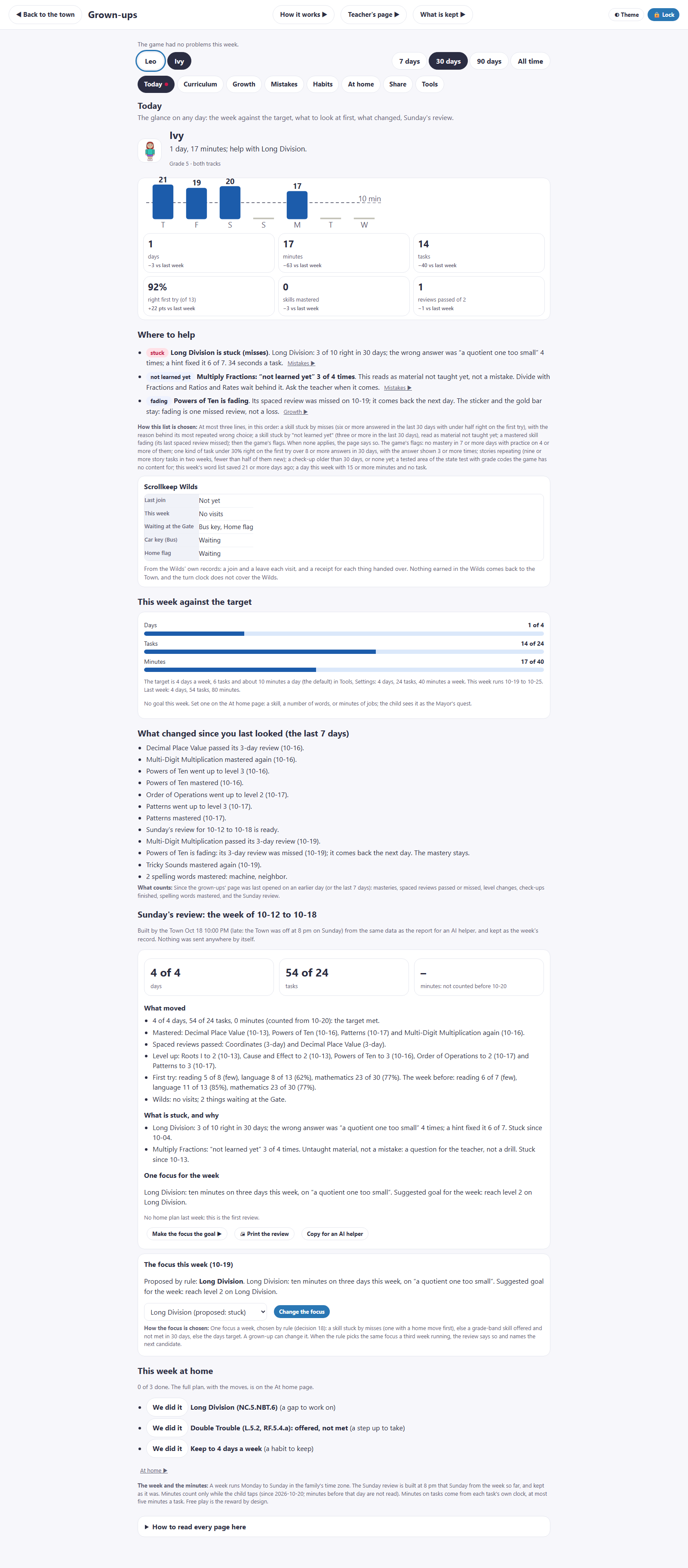
- A report in sentences; nothing in it is a score, and no child is ranked against another
- Nothing to share, because nothing is collected
Most free learning apps are free because the child's attention and record pay for them. None of this makes our app better at teaching. It makes it honest about what it is: practice at home with a report for you.
Why knowing beats scores
A score says how a child did. It does not say why, and "why" is the only part a grown-up can act on.
Mistakes are information. When a child picks a wrong answer, the app keeps which wrong answer and the mistake behind it ("added the denominators", "a quotient one too small, four times"). A wrong answer brings the same task back with help: a picture, a hint or the story read aloud. The report then tells "not yet" from "can do it with help", which are two different things to do something about.
"I haven't learned this yet." A child can say so on any task. It is not counted as a mistake. The report shows it to you as a question for the teacher, which is what it is.
The quiet report. One page per child, written in sentences. "Where to help" is at most three lines. On Sunday evening the town writes a short review of the week and proposes one focus for the next one; you can change it. Nothing in it is a score, and the app never sorts a child into a type.
Focus sessions. When you or the town spot a trouble spot, you can send a focus session: a short check, one lesson, practice that gets harder, and the same check at the end, with a report of the before and the after. One session is a first sign, not proof that something is fixed, and the app says so.
What the app does not claim. It is practice with a report. It is not a tutor, not test prep and not a replacement for school. We do not know whether it raises grades or test scores, and we will not say that it does.
Five questions to ask any learning app
Ask them of this one too. Our answers are above; the point is to ask.
- Where is my child's record kept, and who can read it? If the answer is "on our servers", ask who "our" includes.
- Does my child need an account? If so, what does it ask for, and why does a six-year-old need a login?
- What leaves the device, and when? Ask about analytics, crash reporting and advertising libraries, not only "personal data".
- Can I download everything and delete everything, myself, today? Not "request deletion". Do it, and see what happens.
- What does the report tell me that I can act on? A score tells you how it went. Ask what tells you why.
The ledger: what is kept, where, for how long, and who can see it
Yggy's Village: what the iPad app keeps. Plain words, not a privacy policy. The app's own "What the app keeps" page is the statement of record. yggysvillage.com/privacy
| Kept | Where | How long | Who sees it | You can |
|---|---|---|---|---|
| Each child's record | In the app on your iPad, nowhere else | Until you delete it | Whoever holds the iPad; the details behind the PIN | Download, put back, remove one child, start over |
| The log of tasks | In the app on your iPad | 2 years by default (1, 2, 3 or for ever); what was earned stays | Grown-ups, behind the PIN | Set the keep-for; download; delete |
| Settings and the PIN | In the app; the PIN scrambled, never as typed | Until you change or delete them | Grown-ups | Change any time; the PIN cannot be recovered, only reset with a backup file |
| Drawings, looks, gifts | In the app; never camera pictures | The newest 24 drawings per child | The family | Throw away a drawing; take back an unopened gift |
| The app's own problem list | In the app; never a name or an answer | The last 1,000 | Grown-ups | Clear it; screenshot it to send to us if you choose |
| A backup file | The Files app, or iCloud Drive if you choose it your hand | As long as you keep it | Whoever you give it to | Keep it safe; make a new one now and then |
| Share this week, the AI-helper report | A text handed to you your hand | Wherever you send it, under that place's rules | Whoever you send it to | First initials only, never a name or the PIN |
| Online voices | Off. If turned on, the text read aloud goes to the voice's maker your hand | That company's rules | That company | Leave it off; the iPad's own voices work |
| Install and updates | Firebase Hosting (Google) serves the app's files | Its access logs, under Google's rules | The host: the iPad's address and the files fetched, never the records | Nothing to do; the app makes no requests while playing |
| Anything on our servers | Nothing. We have no servers behind the app | — | — | Write to us; we know only what you tell us |
This ledger matches the app's "What the app keeps" page as of 2026-11-01. Where the two differ, that page wins. Not a privacy policy and not legal advice.
Ask us anything, then decide.
Join the waitlist and we will write when a place is ready. Replying to that email reaches a person.
Join the waitlist